Salesforce-native invoice workflow

Stop chasing payments
outside Salesforce.

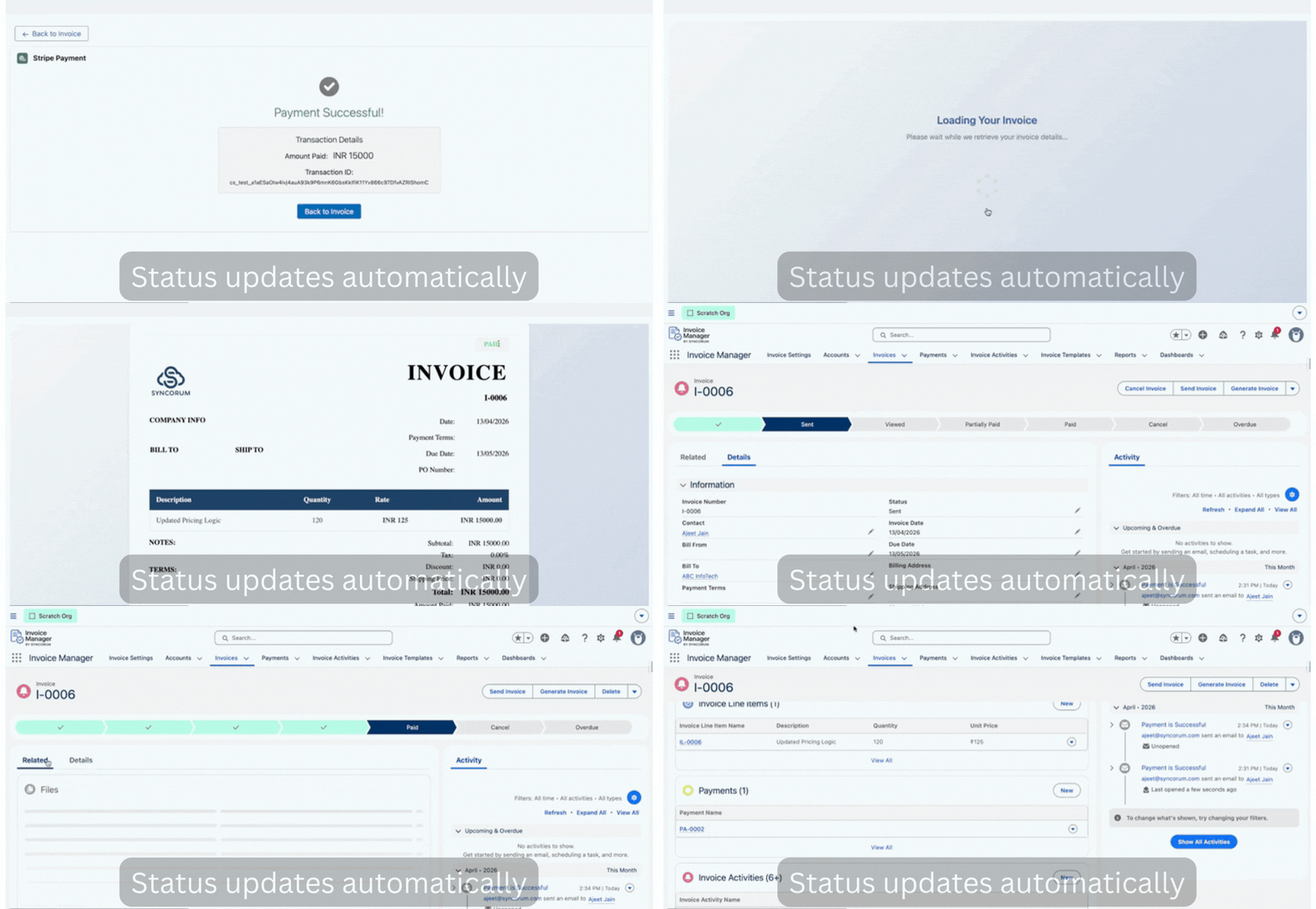
Create invoices, send a payment link, and track payments without leaving Salesforce. Your client pays through Stripe. Status updates automatically.

For Salesforce consultants, agencies, and SMBs billing clients regularly.

Get Demo + Install Guide Watch 2-min demo
Native Salesforce package Public no-login invoice links Stripe checkout Automatic status updates

Get the demo, install link, and setup steps.

Enter your work email and we'll send the 2-minute demo, install details, and setup notes.

No spam. Just the demo, install link, and setup details.

Your billing process is probably duct-taped together.

Salesforce may hold the customer relationship, project details, and delivery history โ€” but billing often happens somewhere else.

Salesforceโ†’Manual Invoice Toolโ†’Separate Payment Toolโ†’Manual Status Update

You create invoices outside Salesforce

Your billing flow starts somewhere else, so Salesforce is already outdated.

You track payments manually

You check Stripe, emails, or spreadsheets to know if you got paid.

Your CRM stays behind real payment status

You do not actually know what is paid and what is overdue without checking another system.

What actually happens.

No hidden setup maze. This is the flow your team and your customer see.

1

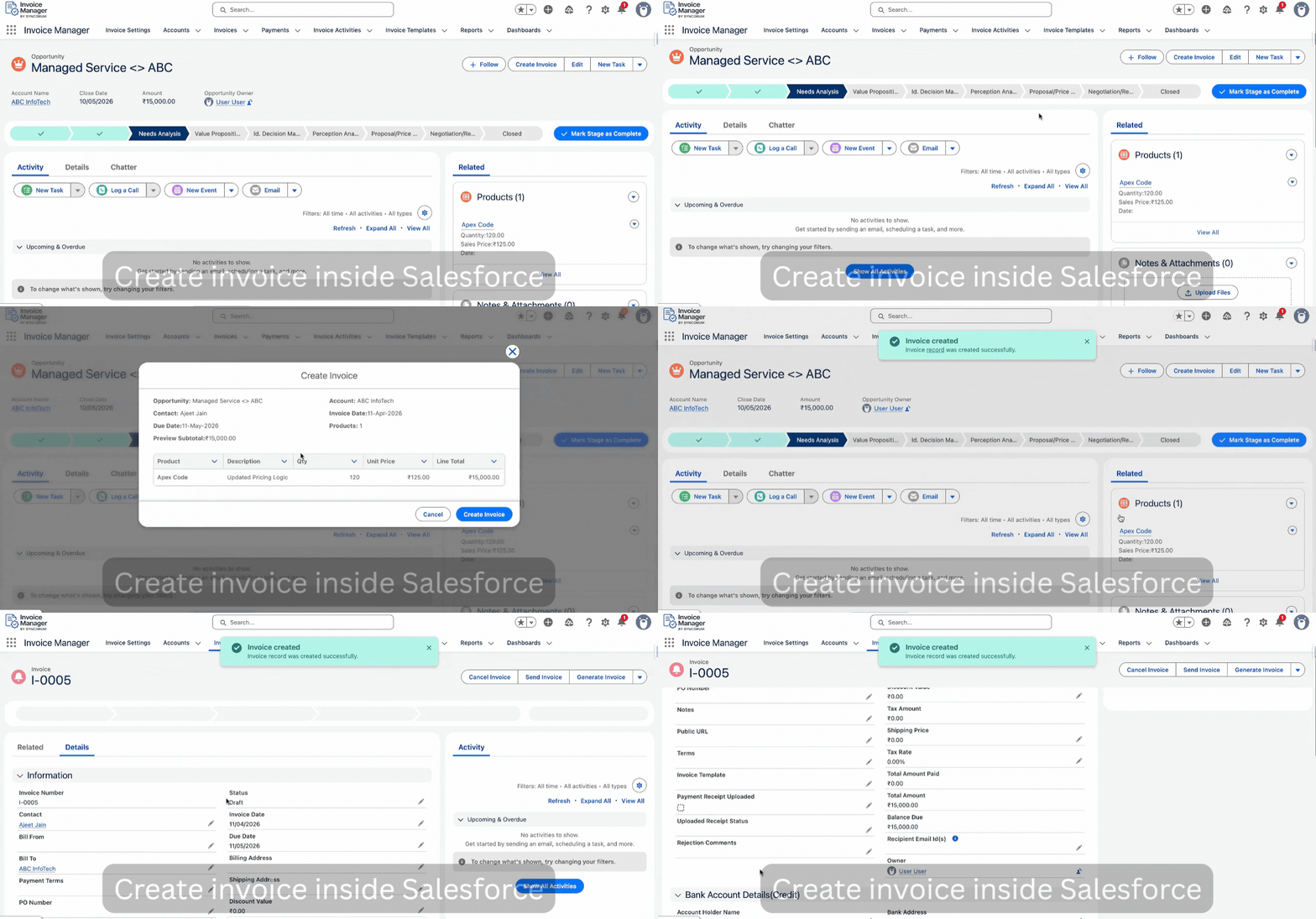
Create invoice

Create the invoice inside Salesforce and add line items.

2

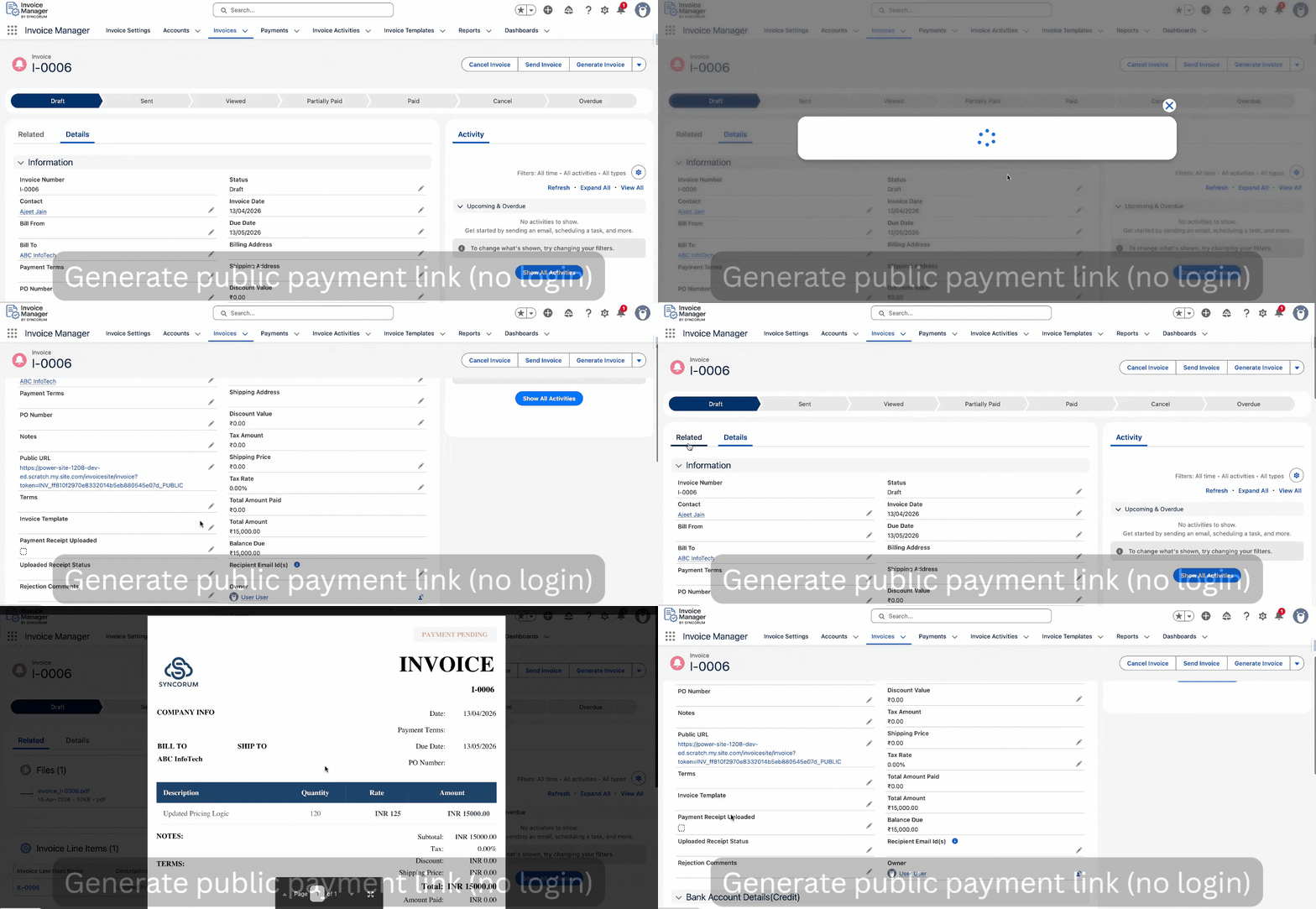
Generate public URL

Generate a shareable invoice link and send it to the customer.

3

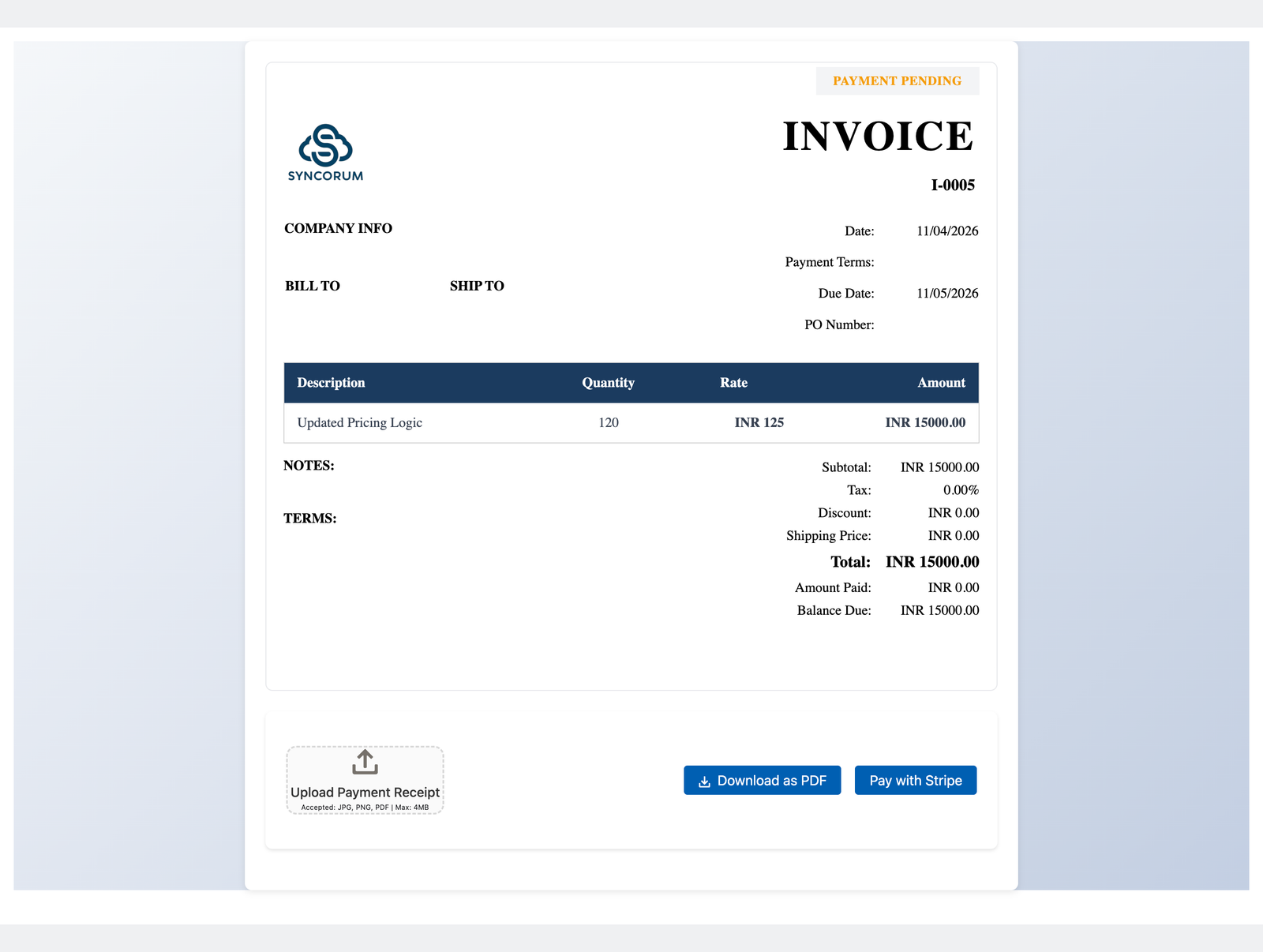
Customer opens link

They open the invoice page without needing Salesforce access.

4

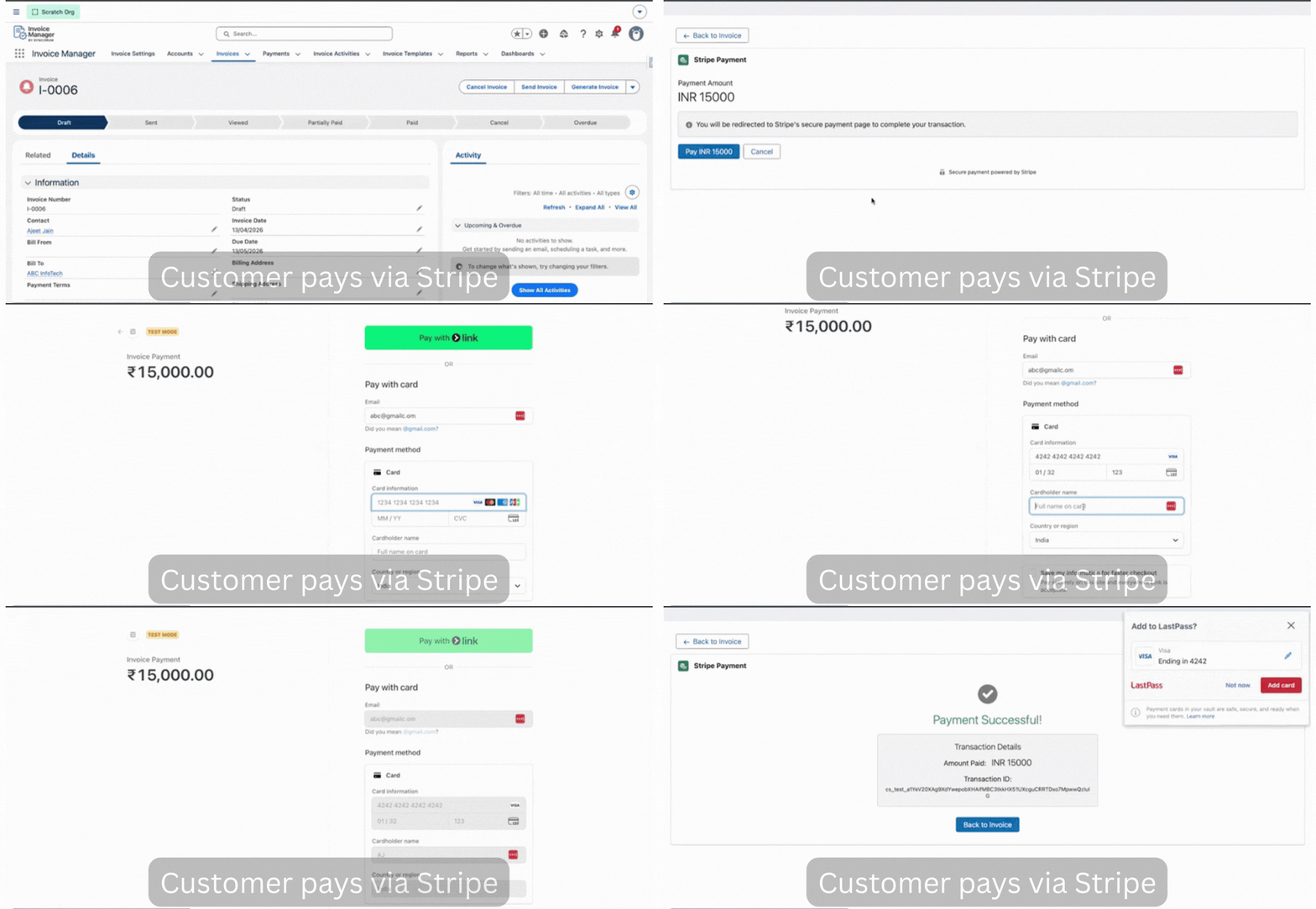
Pay through Stripe

Customer pays online through Stripe checkout.

5

Status updates in Salesforce

Payment is recorded and the invoice status updates in Salesforce.

What you get after install.

01

Invoice objects + workflow

Create, manage, and track invoice lifecycle directly inside Salesforce.

02

Public invoice links

Generate invoice links your customer can open without a portal login.

03

Stripe payment flow

Use hosted checkout instead of a disconnected payment workaround.

04

Automatic payment updates

Payment records and invoice status sync back into Salesforce.

05

Invoice templates

Customise invoice templates, branding, and layout for your workflow.

06

Receipt upload + manual approval

Support bank transfer workflows by letting customers upload receipts for review.

Your client doesn't need a Salesforce login.

They click the link, see the invoice, pay, and you see the update in Salesforce. That's the entire flow.

Old way

โœ•Portal signup required
โœ•Login credentials to manage
โœ•Forgot password friction
โœ•More chances to abandon

With Invoice Manager

โœ“Click the link
โœ“Review the invoice
โœ“Pay with Stripe
โœ“Done
Public invoice page

Setup takes about 10 minutes.

No migration. No new system to train on. Install it, connect Stripe, and test the flow.

Install package โ†’ Connect Stripe โ†’ Generate first link โ†’ Run test payment

Watch the full flow in under 2 minutes.

This is the actual invoice โ†’ public link โ†’ payment โ†’ Salesforce update flow.

Create invoice
Step 1

Create invoice

Create the invoice from Salesforce without switching tools.

Send public link
Step 2

Send public link

Generate a link your customer can open instantly without a login.

Pay with Stripe
Step 3

Pay with Stripe

Customer reviews and pays in a few clicks.

Auto-update
Step 4

Auto-update

Payment confirmed. Status updated. No manual cleanup.

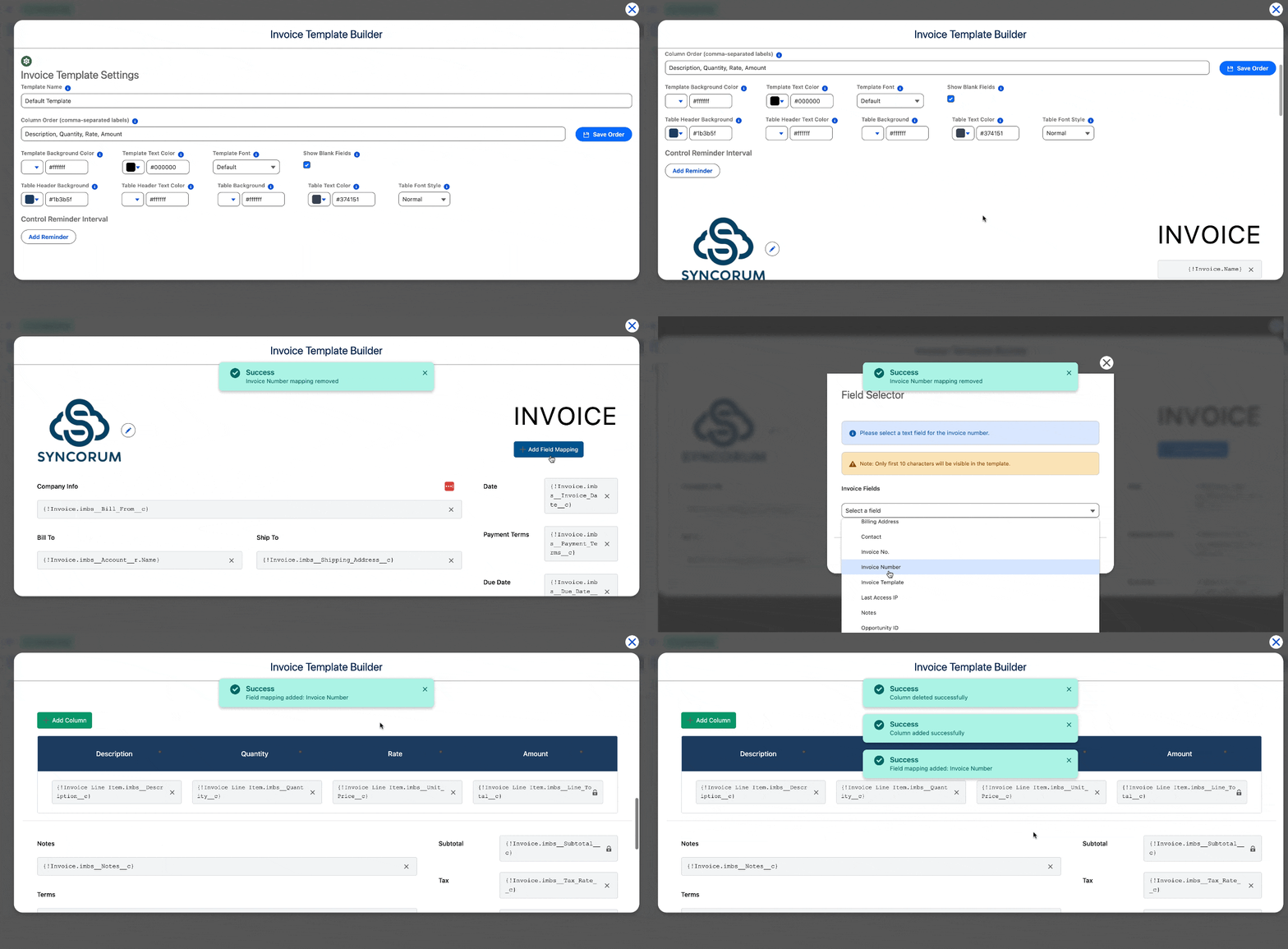
Need branded invoices? You can customise templates too.

This is not just a payment link wrapper. You can tailor invoice templates, fields, and layout for your workflow.

Branding control

Add your logo, style, and invoice presentation instead of sending something generic.

Flexible output

Template-based invoice presentation without pushing clients into another invoicing product.

Template customisation

Questions people ask before trying this.

Do customers need Salesforce access?

No. They receive a public invoice link and can review and pay without logging into Salesforce.

Does this replace QuickBooks or accounting software?

No. This fixes invoicing and payment tracking inside Salesforce. It is not full accounting software.

Is Stripe required?

Stripe is required for online card payments. Manual payment workflows and receipt uploads can also be supported.

Can I brand the invoice?

Yes. Invoice templates can be customised for branding and layout.

How hard is setup?

The core path is package installation, Stripe connection, public link generation, and a test payment. Setup assumptions are detailed in the install guide.

Who should try it first?

Consultants, agencies, and SMBs that already manage client work in Salesforce and want billing closer to delivery.

If you already run work in Salesforce, billing should live closer to it.

See the demo, review the setup path, and decide whether Invoice Manager fits your workflow.

Get Demo + Install Guide Watch 2-min demo

Related products